FastLane Radio
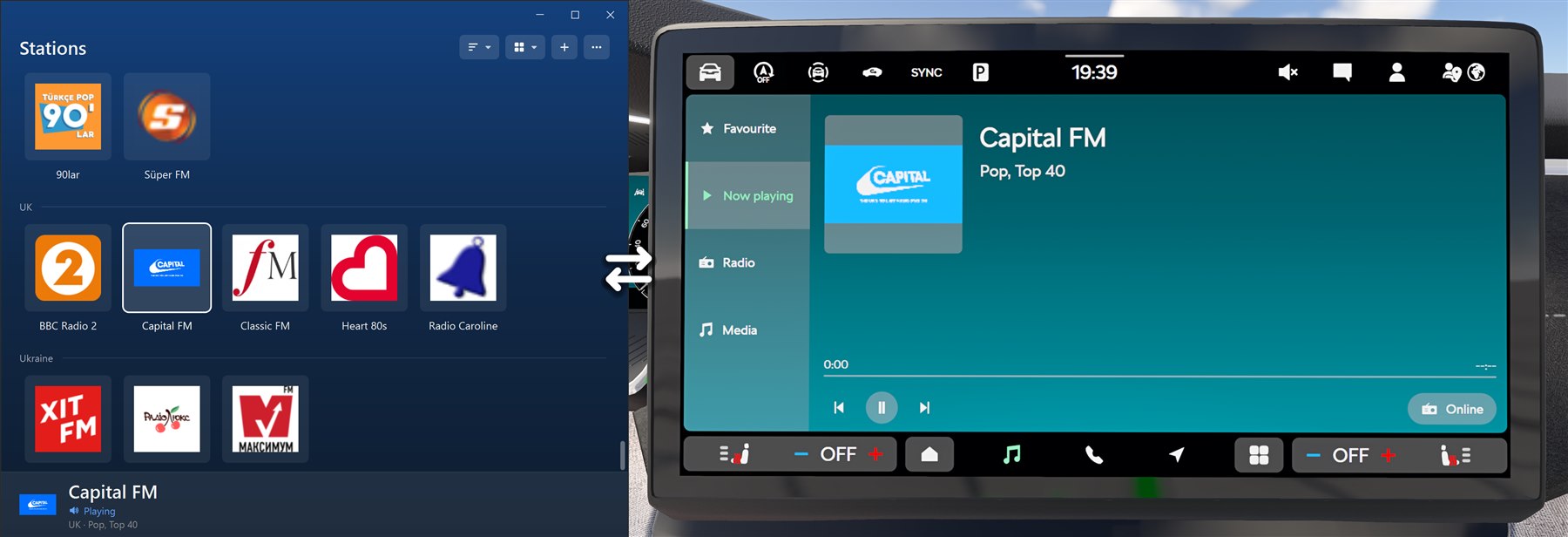
Internet radio for BeamNG. Supported in the Octavia and all our future mods.
Compatible with Windows 10/11
How to install
- Download the zip and unzip it to a folder you'll keep, like Documents.
- Double-click FastLaneRadio.exe to open the Stations window.
- Closing the window keeps it running in the tray by the clock. Click the tray icon to manage your stations.
Windows may say "Windows protected your PC" the first time. Click More info, then Run anyway.